Quick start
From the a Python environment with EEmiLib, run the eemilib-gui command.
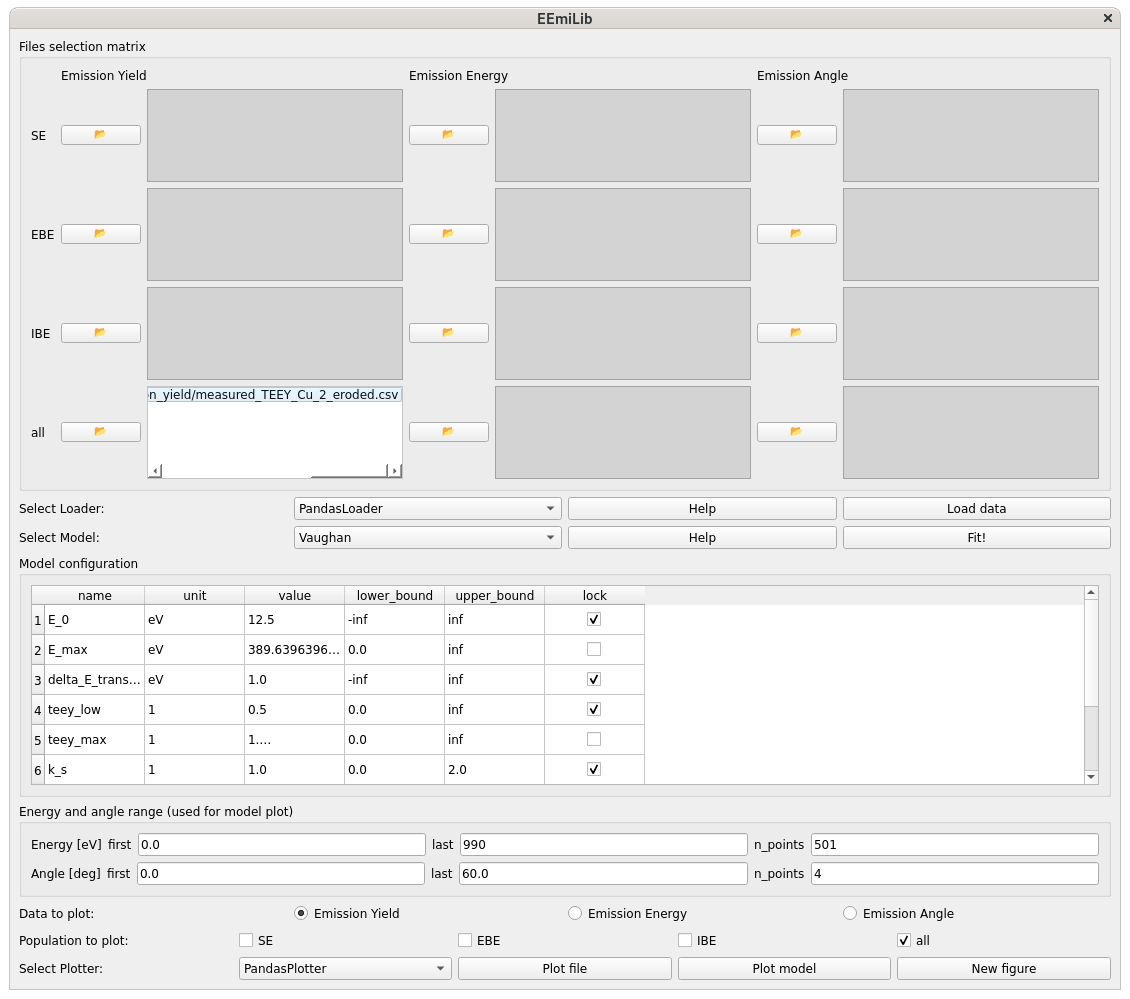
The following window should open.
Load experimental data
Select your data
Loader.
The choice of the loader depends on the format of your data file. By default, use
pandas_loader.PandasLoader. It will work with the example data provided incu/andag/.
Select your electron emission
Model.
Changing the model updates the
Files selection matrix, according to the experimental files required by the model.Changing the model also updates the list of parameters in
Model configuration.
Select the file(s) to be loaded in the
Files selection matrix.Load the data by clicking
Load data.Plot the loaded data to check that it is properly understood by clicking
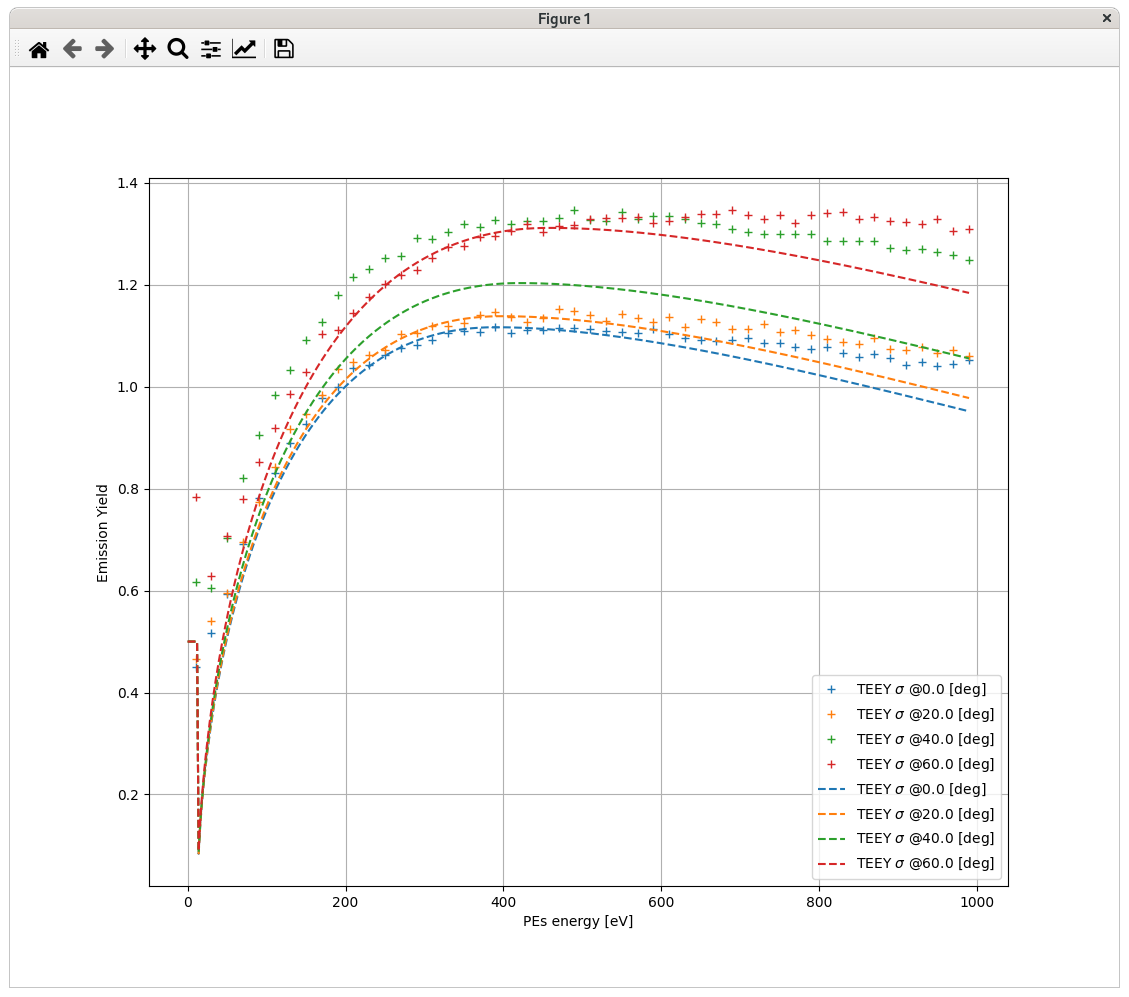
Plot file.
Fit the model on the data
Click
Fit!to fit the model on the data.
It should update the values of the model parameters in
Model configuration.You can manually modify those values.
You can
locka parameter to a specific value, change the upper and lower bounds, and rerun theFit!.
Plot the modelled data with
Plot model.